Screenshot Maker - NeonFrame
Adjust image framing for stories, posts, and professional updates.

Screenshots


About the app
Create polished screenshots for social posts, stories, and professional updates in just a few taps.
Screenshot Maker: Social Shots is a lightweight screenshot maker that helps you prepare images for sharing on Twitter, Instagram, LinkedIn, and other platforms.
Capture what is on your screen or choose an image from your device gallery, then resize and style it for the format you need.
Use Screenshot Maker to present analytics, reviews, comments, questions, and other useful content in a clean, shareable layout. Whether you are preparing social posts, Instagram stories, or professional updates, the editor gives you simple controls for creating images that fit your audience and platform.
WHAT YOU CAN DO
• Capture a screenshot directly in the app
• Choose images from your device gallery
• Use pre-defined aspect ratio for stories or posts
• Share screenshots of analytics, reviews, comments, and questions
BACKGROUND OPTIONS
• Select a solid background color
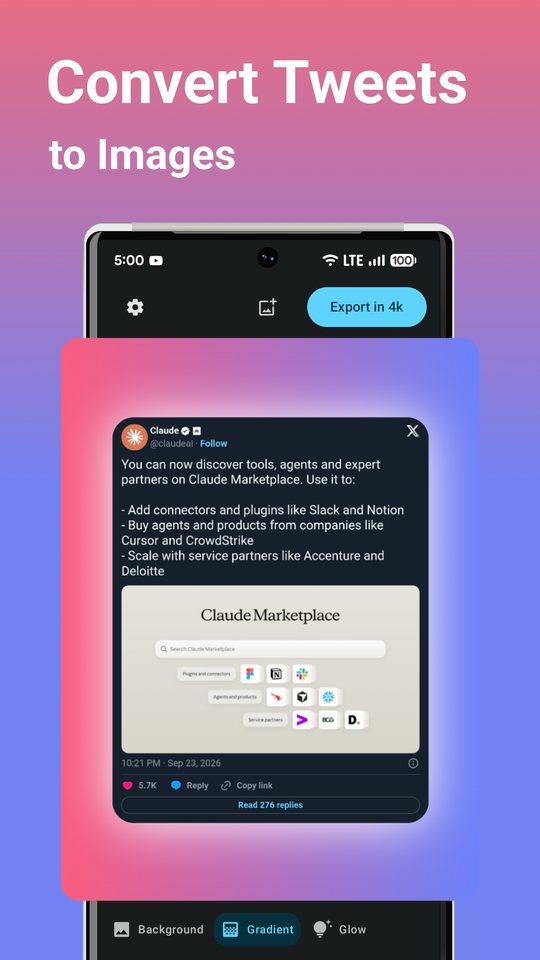
• Apply a gradient background
• Generate a gradient automatically from the colors in your image
• Add your own background colors
• Choose your own shadow color
IMAGE STYLING
• Set a shadow around the screenshot
• Adjust the look with rounded corners
• Combine backgrounds, shadows, and corners to create a layout that matches your content
• Keep the focus on the image while giving it a polished presentation
FORMATS FOR DIFFERENT PLATFORMS
• 1:1 for square social posts
• 4:3 for a classic landscape or portrait-friendly layout
• 3:4 for a taller image composition
• 9:16 for Instagram Stories
• 2:1 for Twitter content
• 1.91:1 for LinkedIn professional updates
A SIMPLE SCREENSHOT WORKFLOW
1. Capture the screen or select images from your gallery.
2. Choose the aspect ratio for your post, story, or update.
3. Select a solid color, a gradient, or an auto-generated background based on your image.
4. Add a shadow, round the corners, and customize colors when needed.
5. Save or share the finished screenshot with your audience.
Screenshot Maker keeps the editing process focused and easy to follow. You can resize images for stories, social posts, and professional updates without needing a complex design tool. Create a consistent look for your screenshots while choosing the background and styling that best supports each image.
Make screenshots ready for sharing on the platforms you use. Download Screenshot Maker: Social Posts to resize images, design stories, and prepare clear social content in a few taps.